
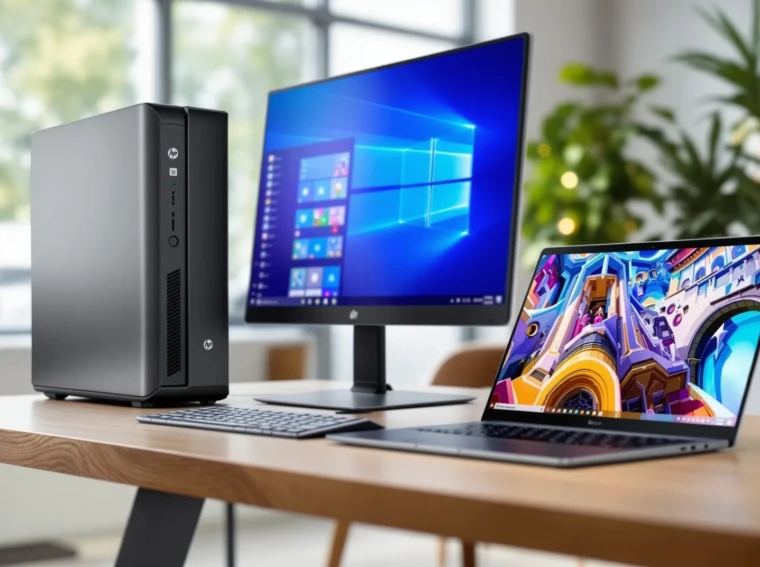
Picture this: You’re staring at your old, sluggish computer, waiting for it to load a single browser tab. You sigh, check your bank account, and wonder if you can really get a solid PC under 500 dollars. Here’s the surprise—yes, you can. And not just a dusty relic from 2012, but a machine that boots fast, streams smoothly, and even handles light gaming or creative work. If you’ve ever felt stuck between your budget and your tech needs, you’re in the right place.
Why a PC Under 500 Makes Sense
Let’s be honest. Not everyone needs a $2,000 powerhouse. Maybe you’re a student, a remote worker, or a parent who just wants a reliable family computer. A PC under 500 can cover the basics—web browsing, office work, streaming, and even some photo editing. The trick is knowing what to look for and where to compromise.
Who Should Buy a PC Under 500?
- Students who need a homework machine
- Remote workers on a budget
- Casual gamers who play indie or older titles
- Families sharing a single device
- Anyone tired of slow, outdated tech
If you’re a hardcore gamer or a video editor working with 4K footage, this isn’t your lane. But for everyone else, a pc under 500 can be a smart, satisfying choice.
What to Expect from a PC Under 500
Here’s the part nobody tells you: specs matter, but so does the experience. You won’t get the latest graphics card or a terabyte of blazing-fast storage. But you can get a machine that feels snappy, boots quickly, and doesn’t freeze when you open ten tabs. Let’s break it down.
- Processor: Look for at least an Intel Core i3 or AMD Ryzen 3. Some newer Celeron or Athlon chips can work, but only for the lightest tasks.
- RAM: 8GB is the sweet spot. 4GB will make you want to throw your PC out the window.
- Storage: SSD over HDD, every time. Even a 256GB SSD will feel much faster than a 1TB hard drive.
- Graphics: Integrated graphics are fine for most. If you want to game, look for an entry-level dedicated GPU, but don’t expect miracles.
- Ports: Make sure you get enough USB ports, HDMI, and maybe even an SD card slot if you use cameras.
Here’s why: these details decide whether your PC under 500 feels like a bargain or a headache. I once bought a cheap desktop with only 4GB RAM. It crawled through every task. Upgrading to 8GB made it feel brand new. Lesson learned—don’t skimp on memory.
Top Picks: Best PCs Under $500
Ready for specifics? Here are some of the best options for a pc under 500, based on real-world use and current reviews. Prices can change, so always double-check before you buy.
1. Acer Aspire TC-1760
- Intel Core i3-12100
- 8GB RAM
- 512GB SSD
- Windows 11 Home
This desktop feels fast for everyday tasks. The SSD makes boot times quick, and the case is compact enough for small desks. It’s not flashy, but it gets the job done. If you want a pc under 500 that just works, this is a safe bet.
2. HP Slim Desktop S01
- AMD Ryzen 3 3250U
- 8GB RAM
- 256GB SSD
- Windows 11
HP’s Slim Desktop is quiet and energy-efficient. It’s great for students or anyone who needs a reliable workhorse. The Ryzen chip handles multitasking better than you’d expect at this price.
3. Lenovo IdeaCentre 3
- AMD Athlon Silver 3050U
- 8GB RAM
- 256GB SSD
- Windows 11
This one’s for the ultra-budget crowd. It’s not a gaming rig, but it’s perfect for web browsing, streaming, and office work. The small form factor fits anywhere.
4. Refurbished Dell OptiPlex 3080
- Intel Core i5-10500
- 8GB RAM
- 256GB SSD
- Windows 10 Pro
Don’t sleep on refurbished PCs. You can often get more power for less money. Dell’s OptiPlex line is built for business, so it’s reliable and easy to upgrade. If you’re open to “like new,” this is a great way to stretch your dollar.
Laptops vs. Desktops: Which PC Under 500 Wins?
Here’s a quick gut check. If you need portability, a laptop is the obvious choice. But you’ll get more power for your money with a desktop. Laptops under $500 often have slower processors and less storage. Desktops give you room to upgrade later—add more RAM, swap in a bigger SSD, or even pop in a low-end graphics card.
- Laptop Pros: Portable, all-in-one, battery backup
- Laptop Cons: Less power, harder to upgrade
- Desktop Pros: More power, easier upgrades, better cooling
- Desktop Cons: Not portable, needs monitor/keyboard/mouse
If you’re always on the move, grab a laptop. If you want the best performance for your dollar, go desktop. Simple as that.
How to Get the Most from Your PC Under 500
Here’s the secret sauce: a few tweaks can make even a budget PC feel premium. Start by uninstalling bloatware—those preloaded apps you’ll never use. Keep your system updated. Use cloud storage to save space. And if you can, add more RAM or swap in a bigger SSD down the line. These small upgrades can stretch the life of your pc under 500 by years.
Free Tools That Make a Difference
- LibreOffice or Google Docs for productivity
- VLC for media playback
- Malwarebytes for security
- CCleaner for keeping things tidy
Don’t pay for software you don’t need. There are plenty of free, reliable tools that run great on a pc under 500.
What to Avoid When Shopping for a PC Under 500
It’s easy to get burned by flashy deals. Here’s what to watch out for:
- 4GB RAM (unless you plan to upgrade immediately)
- Mechanical hard drives as the only storage
- Outdated processors (older than 8th-gen Intel or Ryzen 2000 series)
- Refurbished PCs without a warranty
- “All-in-one” PCs with low specs
I once bought a cheap all-in-one for my parents. It looked sleek, but the hard drive was so slow, they gave up and used their phones instead. Don’t make my mistake—check the specs, not just the price tag.
Final Thoughts: Is a PC Under 500 Right for You?
If you want a fast, reliable computer for everyday tasks and you’re willing to skip the bells and whistles, a pc under 500 is a smart move. You’ll save money, avoid tech headaches, and maybe even feel a little smug when your friends complain about their overpriced machines. The key is knowing what matters—speed, memory, and storage—and not getting distracted by shiny extras.
Ready to upgrade? Take a deep breath, check your options, and remember: you don’t need to spend a fortune to get a PC that works for you. Your next smooth, speedy session is just a smart purchase away.