
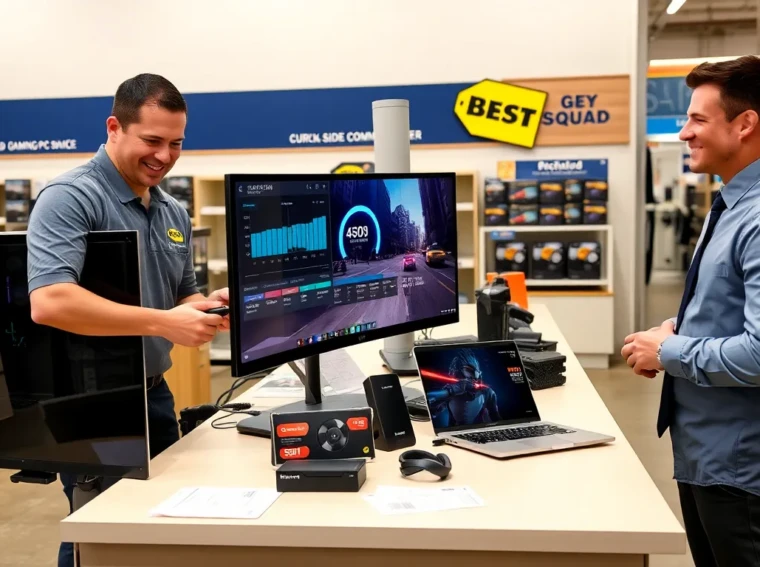
Geek Squad Gaming PC is a branded option that many buyers consider. The article explains what the program offers, hardware options, support details, pricing, and how it compares to other choices. Readers will get clear criteria they can use to pick a system.
Key Takeaways
- Match a Geek Squad Gaming PC to your games and display by checking the CPU, GPU, RAM, and published benchmarks before buying.
- Choose at least 16 GB RAM and an NVMe SSD for modern gaming and multitasking to reduce load times and improve performance.
- Buy Geek Squad service plans if you value onsite setup, driver installation, data transfer, and local repair support for convenience and peace of mind.
- Compare total cost—including warranty, upgrade headroom (PSU quality), and financing—against custom builders to decide if the bundled service premium is worth it.
- Use trade-ins, seasonal promotions, and the checklist (game targets, GPU benchmarks, storage, and power supply) to pick a future-proof system that fits your budget.
What The Geek Squad Gaming PC Program Offers
Best Buy sells systems and services under the Geek Squad Gaming PC label. The company builds, tests, and configures machines in its channels. The program bundles hardware with setup services and optional protection plans. Buyers can get in-store advice, online ordering, or curbside pickup. Geek Squad staff will install drivers and run basic benchmarks before delivery. The program also offers upgrade services and data transfer options for an extra fee. Many buyers choose Geek Squad Gaming PC for convenience and single-vendor support. Other buyers use the program when they want a system that works out of the box.
Typical Hardware Configurations And Performance Targets
Geek Squad Gaming PC systems span entry, mid, and high-end tiers. The company pairs mainstream CPUs with discrete GPUs in most builds. Systems target smooth 1080p play for entry models and 1440p or 4K for higher tiers. The builds balance CPU core counts, GPU power, RAM size, and storage type. Buyers should match a system to the games they play and their display.
Key Components To Evaluate
Buyers should check the CPU model, GPU model, RAM amount, storage type, and power supply. The CPU determines frame timing in CPU-bound scenes. The GPU sets raw frame rates in GPU-bound scenes. RAM affects multitasking and texture loading. SSDs speed boot and level load times. Power supplies affect upgrade headroom and system stability. The case and cooling determine acoustic levels and thermal limits.
Common Use Cases And Recommended Builds
Casual players benefit from entry builds with midrange GPUs and 8–16 GB RAM. Competitive players benefit from higher-refresh systems with faster CPUs and 16–32 GB RAM. Content creators benefit from multicore CPUs, larger RAM, and NVMe storage. VR users need higher GPU performance and stable USB/DisplayPort setups. For each use case, Geek Squad Gaming PC offers a set of configurations that map to these needs. Buyers should pick a configuration that aligns with their display, game list, and streaming habits.
Installation, Setup, And Onsite Services
Geek Squad agents perform setup and initial testing for systems sold with service plans. They install the operating system, drivers, and major game launchers on request. The team configures wireless and peripheral pairing when the buyer asks. They can transfer user data from an old PC when the buyer purchases the service. The service includes basic tuning for thermal and power settings.
Warranty, Support Plans, And Repair Options
Geek Squad backs many systems with limited warranties and optional protection plans. The plans can cover accidental damage, power surges, and mechanical failure. Buyers can buy onsite repair visits or mail-in service, depending on location and plan. The company offers diagnostics and hold-for-repair options at its service centers. For extended support, buyers can buy annual plans that include technician visits and remote assistance. Buyers should read the plan terms to see coverage limits, deductible amounts, and claim processes.
Pricing, Financing, And Trade-In Considerations
Geek Squad Gaming PC pricing reflects component choice, service add-ons, and warranty levels. Entry systems cost less but use modest GPUs and CPUs. High-end systems carry premium prices for top-tier GPUs, fast storage, and stronger power supplies. Best Buy offers financing options that split payments over months. Buyers can compare APR and total cost before signing.
The retailer runs trade-in offers for older systems and devices. The trade-in value depends on age, condition, and market demand. Buyers who trade in can lower their upfront cost. Buyers should compare trade-in value to private sale value to see the best return. The store also runs seasonal promotions and bundle discounts on peripherals and monitors.
How Geek Squad Builds Compare To Custom And Prebuilt Alternatives
Geek Squad Gaming PC sits between brand-name prebuilts and fully custom builds. The systems offer more service than many mass-market prebuilts. The company uses vetted parts and runs quality control checks on completed systems. Custom builders offer tighter part selection and potential cost savings for buyers who pick parts carefully. Prebuilt OEMs often offer standardized cases and limited upgrade paths.
Pros And Cons For Different Buyer Types
Value buyers get convenience and basic warranty coverage from Geek Squad Gaming PC. They pay a premium for service and ease. Enthusiasts get more flexibility with custom builders and may save money on parts and labor. Busy buyers who prefer one-stop shopping find Geek Squad convenient. Gamers who like to tinker or optimize every part may prefer custom shops. Small business or family buyers who need onsite support may prefer the bundled service and local repair options that Geek Squad provides.
How To Choose The Right Geek Squad Gaming PC For You
Buyers should match the system to their game list, display, and budget. They should review the CPU and GPU models and check real-world benchmarks. They should confirm RAM size and storage type before purchase. They should weigh the value of onsite services and extended plans against the added cost. They should check upgrade paths for GPU and storage to avoid early obsolescence.
Checklist For Buying, Upgrading, And Future-Proofing
- List the main games and their target resolution and refresh rate.
- Check the GPU model and compare it to published benchmarks for those games.
- Verify the CPU model and core count for your workloads.
- Confirm at least 16 GB RAM for modern gaming and multitasking.
- Prefer NVMe SSDs for OS and game installs and a secondary HDD for bulk storage.
- Ask about the power supply wattage and brand for upgrade headroom.
- Buy a protection plan if you want onsite repairs and accidental damage coverage.
- Consider trade-in offers if you have a working older system to reduce cost.
Readers who follow these steps will find a Geek Squad Gaming PC that fits their needs. They will also reduce the chance of surprises after purchase.