

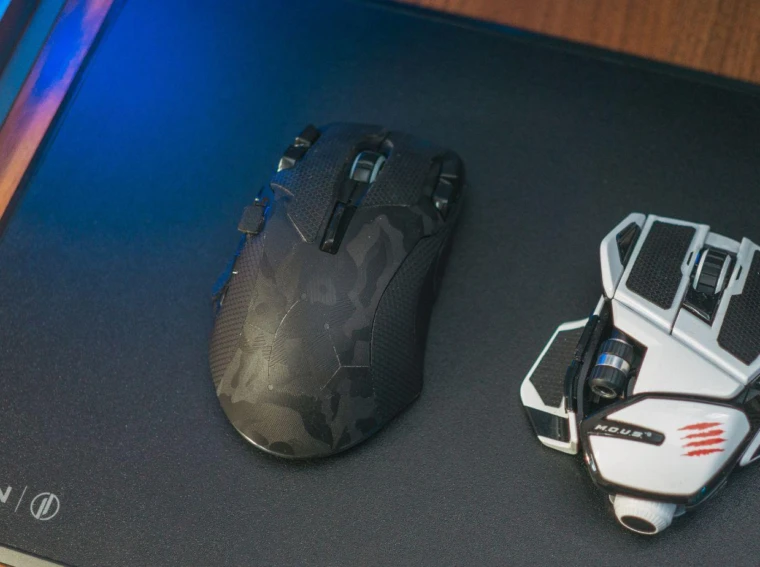
A good surface under the mouse affects both accuracy and comfort during longer sessions. Cloth pads give more control and a softer feel, while hard pads reduce friction and favour faster movements. The right choice depends on grip style, sensitivity settings and how much desk space is available.
Why mousepad choice matters for control and speed
A gaming mousepad plays a central role in any setup. The appropriate surface helps ensure balanced movement, minimizing issues like skipping or unwanted resistance. This supports accurate tracking for both gaming and detailed work.
Various materials bring different advantages. Glass surfaces are recognized for their stable, low-resistance glide, which benefits tasks that require quick movement. High-quality cloth pads provide greater friction, which is helpful for situations where precision is necessary. Selecting a material that matches your habits helps ensure optimal comfort and control.
Durability also contributes to the overall experience. A sturdy surface withstands wear from regular use. By selecting a gaming mousepad to enhance performance, you can add a reliable accessory that supports both gaming and general productivity.
How to select the ideal gaming mousepad
Finding the right mousepad involves considering your workspace and usage patterns. If you need space for broad mouse movements, larger pads are suitable; compact designs fit better in smaller setups.
Material choice is significant. Glass pads offer a fast glide, fitting those who prioritize speed. Cloth pads provide a textured surface that allows for more controlled movements—useful for careful aiming or creative work.
Maintenance and longevity are additional factors. Glass surfaces are simple to clean but can be sensitive to scratches if not handled carefully. Cloth pads may be gently washed when needed. Factoring in these aspects helps achieve a balance between comfort, performance, and lifespan.
How an upgraded mousepad improves daily use
Upgrading to a purpose-built gaming mousepad can benefit an entire setup, both for gaming and for creative work. Gamers may experience steadier aim and quicker reactions as the surface responds accurately to subtle movements.
For tasks such as graphic design or video editing, improved tracking can make detailed work smoother. A consistent glide may also help reduce wrist strain during extended sessions by allowing more fluid motion.
For refining gameplay as well as for supporting efficient workflows, selecting a suitable mousepad can improve everyday performance. With a variety of options available, it is possible to find a surface that enhances both leisure and productivity. Wired connections generally give the lowest latency, while modern 2.4 GHz wireless comes close in practice. Bluetooth is convenient for switching between devices, but it is used less often for competitive play because of higher latency. Comfort matters most during long sessions, so weight, padding and adjustability are worth prioritising. Cloth surfaces offer more control and a softer feel, while hard surfaces reduce friction and favour faster movements. Electronics sold in the EU carry CE marking, and buyers have a statutory conformity period of at least two years from delivery. Keeping the pad clean matters more than most people expect, since dust and skin oils change how the mouse glides. Firmware updates can improve both features and stability, so it is worth checking whether the manufacturer supports the product over time. Replacing worn parts such as skates or pads is usually far cheaper than replacing the mouse itself. Polling rate describes how often the mouse reports its position, and higher rates give slightly smoother cursor movement at the cost of more CPU usage. DPI describes sensor sensitivity, and a higher number is not automatically better, since many competitive players work at fairly low settings.