

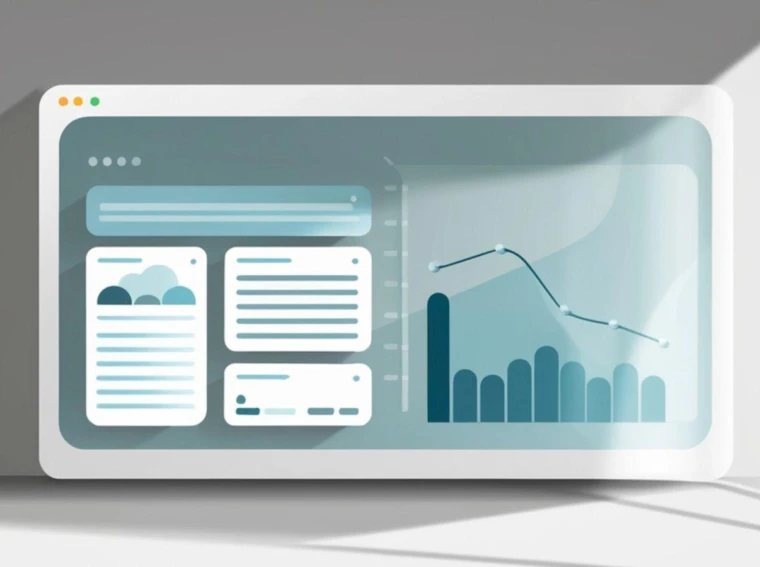
A dashboard tends to look like a practical screen, almost neutral at first glance. It holds charts, shortcuts, tables, cards, alerts, maybe a few filters, and often a lot of pressure. Yet dashboards say quite a lot about the team behind them. They show what the product believes matters most, how clearly the team thinks, and how much effort went into helping people act on information rather than stare at it. UX research defines dashboards as single-page collections of visualizations meant to give people information at a glance so they can act quickly, which makes them one of the clearest windows into product judgment.
That is part of why a screen library can be useful here. The Page Flows UI screen library collects real screens and recordings from apps and websites, and Page Flows also has dedicated dashboard screen examples for web and iOS. Looking across many dashboard patterns in one place makes it easier to spot repeated choices, not only in layout but in what teams elevate, hide, simplify, or leave unresolved.
A crowded dashboard often points to a team that has not made enough decisions
When a dashboard tries to surface everything at once, the problem is rarely visual alone. It usually means too many internal priorities survived the design process. One stakeholder wanted revenue first, another needed retention, support asked for alerts, operations wanted status visibility, and nobody cut hard enough. The result is a screen that feels busy before a user has even started working.
That kind of clutter matters because dashboards are supposed to support rapid understanding. NNGroup’s dashboard guidance focuses on at-a-glance comprehension and quick action, which becomes harder when the screen asks users to scan too many competing signals. A dashboard can be full of data and still feel under-edited.
A calm dashboard usually reflects confidence in priorities
Some dashboards feel ordered without looking empty. Those screens tend to come from teams that know which questions users need answered first. They do not try to prove that the product is powerful by showing every capability on the opening view. Instead, they set a sequence. A few high-value numbers come first, then supporting detail, then routes into deeper work.
Page Flows’ dashboard-related examples and its broader dashboard design resource both lean into that idea of structure. Dashboards exist to support informed decisions, and their value comes from helping users read the signal quickly enough to do something with it. When a product team respects that, the dashboard feels composed even if the underlying product is fairly complex.
What gets placed first is rarely accidental
The first card, first chart, or first callout tells users what the product team worries about. It may be growth, risk, account health, team activity, campaign performance, or unfinished setup. Whatever lands in that first zone becomes the product’s opening statement.
Inconsistent cards and messy modules usually reveal fragmented ownership
A dashboard with uneven card styles, mismatched labels, and irregular interaction patterns often suggests that different parts were added by different teams over time. Baymard’s research on dashboard card layouts found that card-based dashboards can work well, though they need high consistency in layout and styling to remain navigable. Once that consistency slips, users have a harder time finding what they need.
This is one of those moments when design exposes process. A fragmented dashboard can hint at fragmented product ownership, fragmented naming, and fragmented standards. Teams sometimes read this as a purely UI issue, though it often started much earlier in planning.
A dashboard that hides basic actions may reflect internal expertise more than user reality
Product teams spend so much time inside their own tools that they stop seeing what a first or occasional user sees. A dashboard then becomes full of labels that make sense to insiders and routes that feel obvious only to people already familiar with the model.
Baymard’s account dashboard research found that users were generally better served by a few somewhat longer account pages than by deep multilayer navigation structures, which proved harder to navigate effectively. That insight carries a wider lesson. When teams bury common actions behind extra levels, the screen often mirrors internal organization rather than user tasks.
Teams reveal themselves through navigation
Navigation is often the most honest part of a dashboard. It shows whether the team grouped features around how the company is organized or around what users are actually trying to get done.
A dashboard with strong visual hierarchy usually comes from a team that understands decision-making
Not every chart deserves equal visual weight. Not every warning needs the same treatment. Dashboards work better when hierarchy matches urgency and usefulness, and NNGroup’s dashboard visualization guidance stresses the importance of making data easy to process quickly through visual choices that support human perception.
That sounds technical, though the real issue is practical. If a user cannot tell what matters first, the team has handed over a screen without enough judgment built into it. Good hierarchy does not make the decision for the user, but it does help the user get oriented faster.
Benchmarking dashboards against real products can expose team habits quickly
One reason pattern libraries matter is that internal teams can normalize their own compromises. After enough review cycles, a dashboard starts to look inevitable. It rarely is. Comparing it with real dashboard screens across products can show which choices are common because they work and which ones are peculiar to a team’s habits, history, or unresolved debates. Page Flows is useful for that type of comparison because it organizes real screens and flows by pattern and platform, including dashboard examples and dashboard-related actions.
The strange truth about dashboards
A dashboard does not only summarize product data. It also summarizes product culture. It shows whether the team edits aggressively, whether it trusts users with clear pathways, whether standards survive across squads, and whether complexity has been managed or merely displayed.
That is why dashboards are revealing in a way splashier screens are not. A homepage can still perform with a bit of marketing gloss. A dashboard has fewer places to hide. When it feels coherent, useful, and easy to move through, it usually means the team behind it made a long series of disciplined choices. When it feels crowded, uneven, or oddly hard to use, the screen is often telling the truth long before the team does.